Quick Start Guide

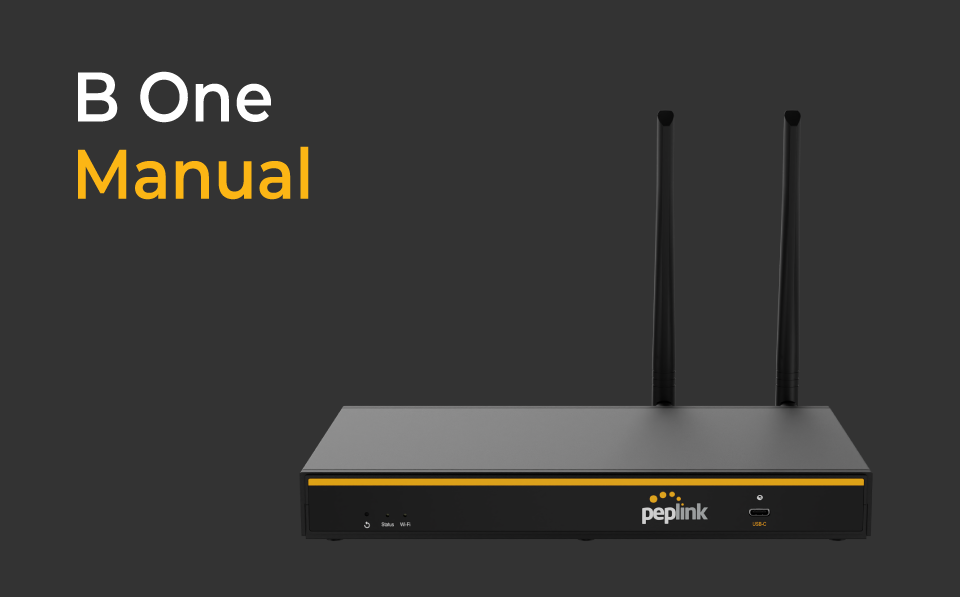
B One

You’re all set and ready to go!

1 /4

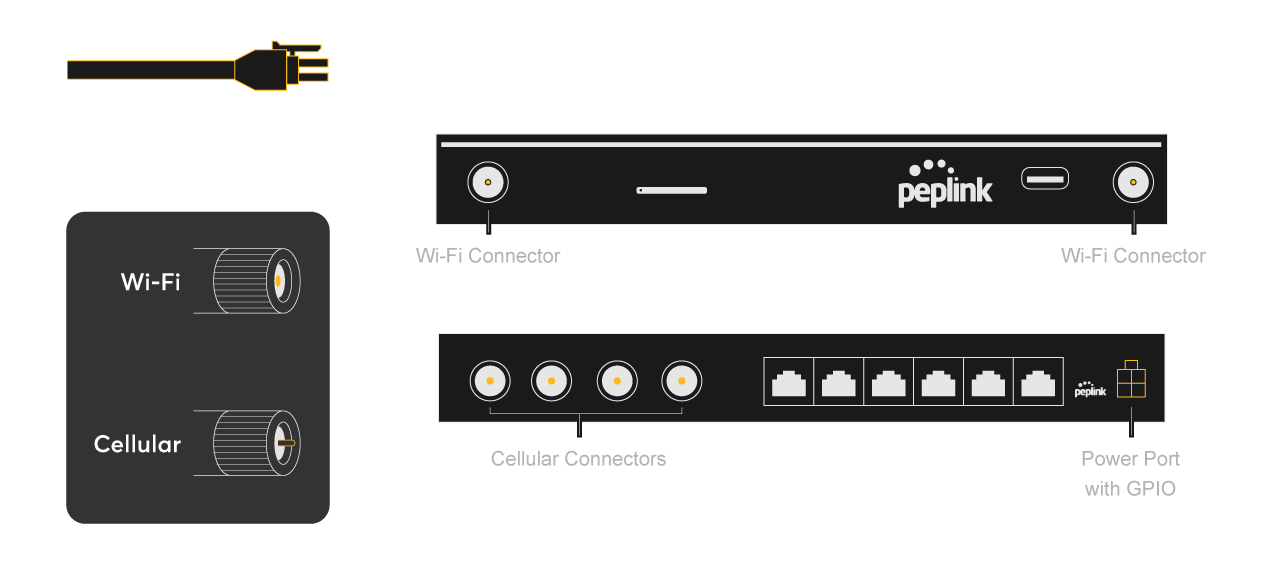
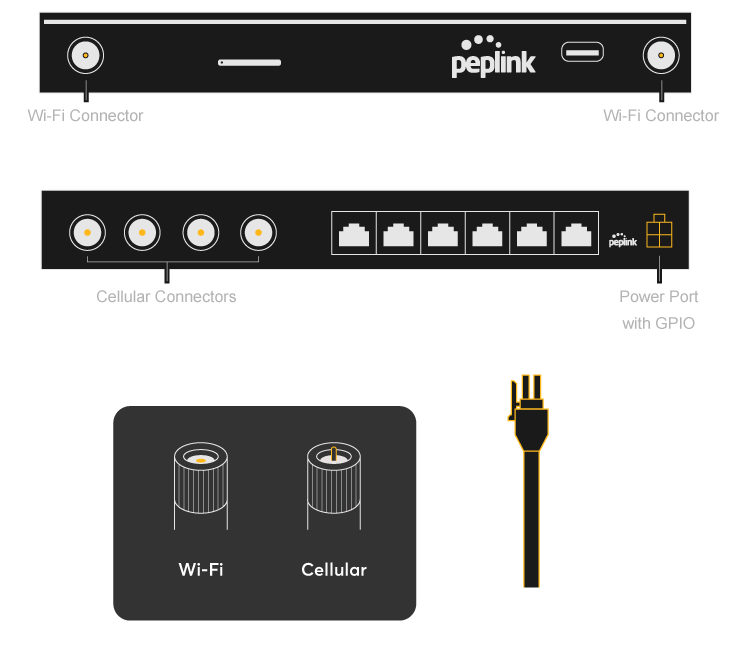
Connect the Power Cord and the Antennas*

* Refer to antenna connector or cable ends
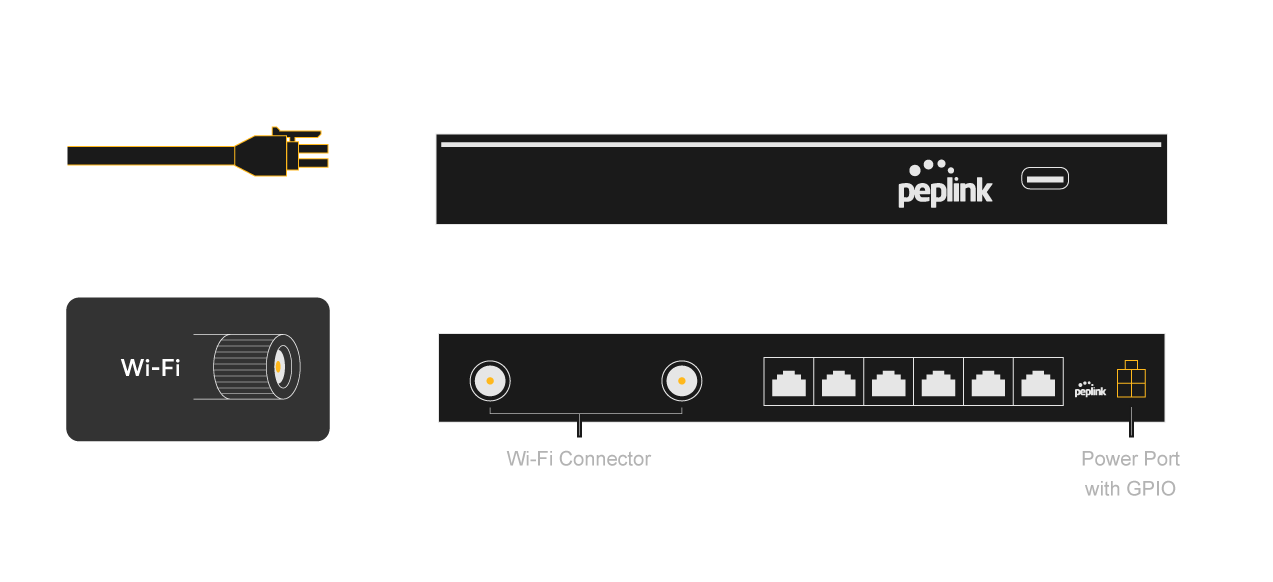
B One Setup Step 01 B One Steup Step 01

2 /4

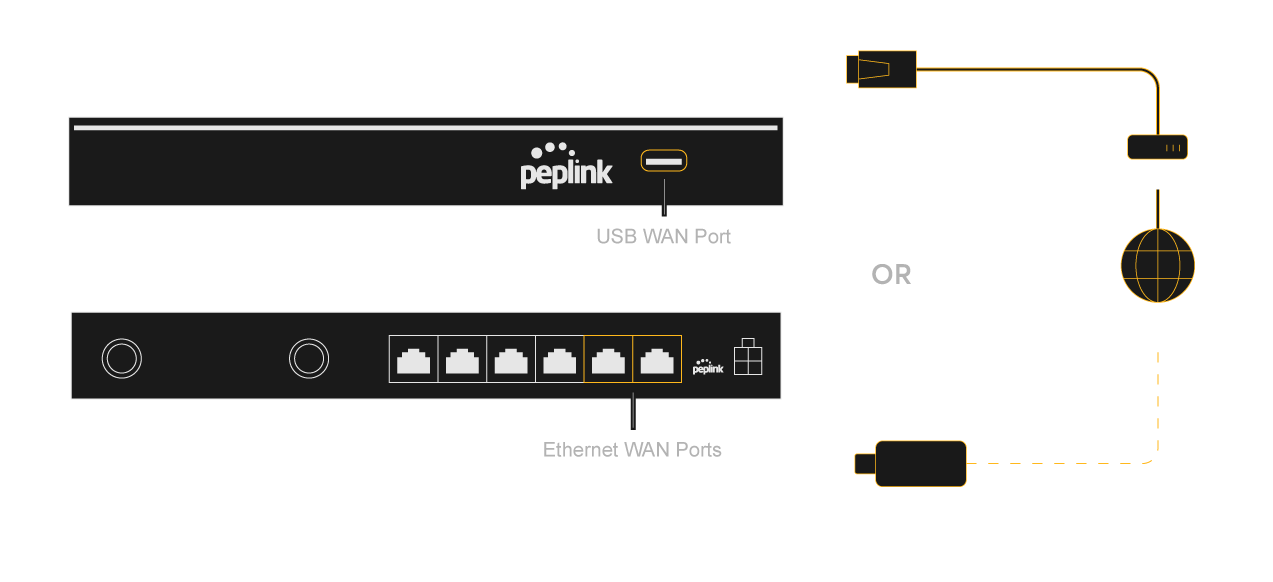
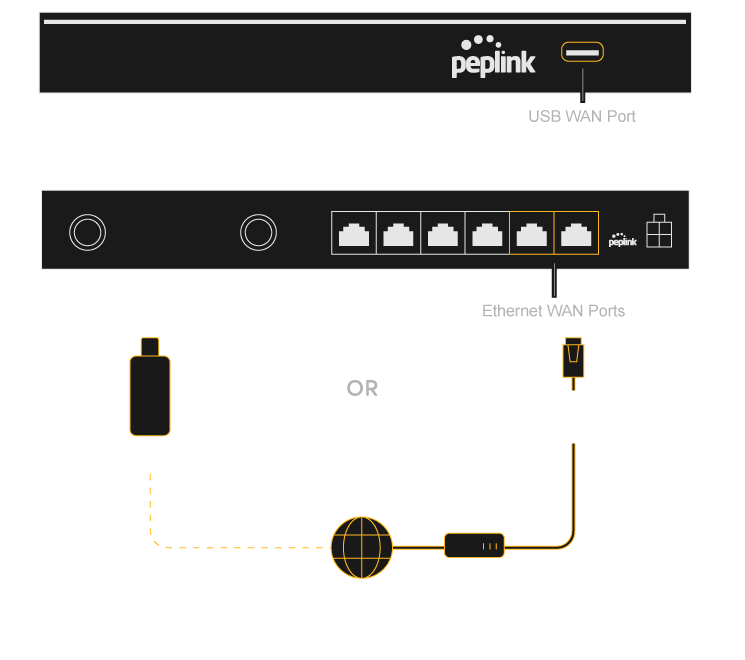
WAN Setup

Connect Your Devices By Ethernet Cable # or USB Modem

# Ethernet cable not included

B One Setup Step 01 B One Setup Step 02

3 /4

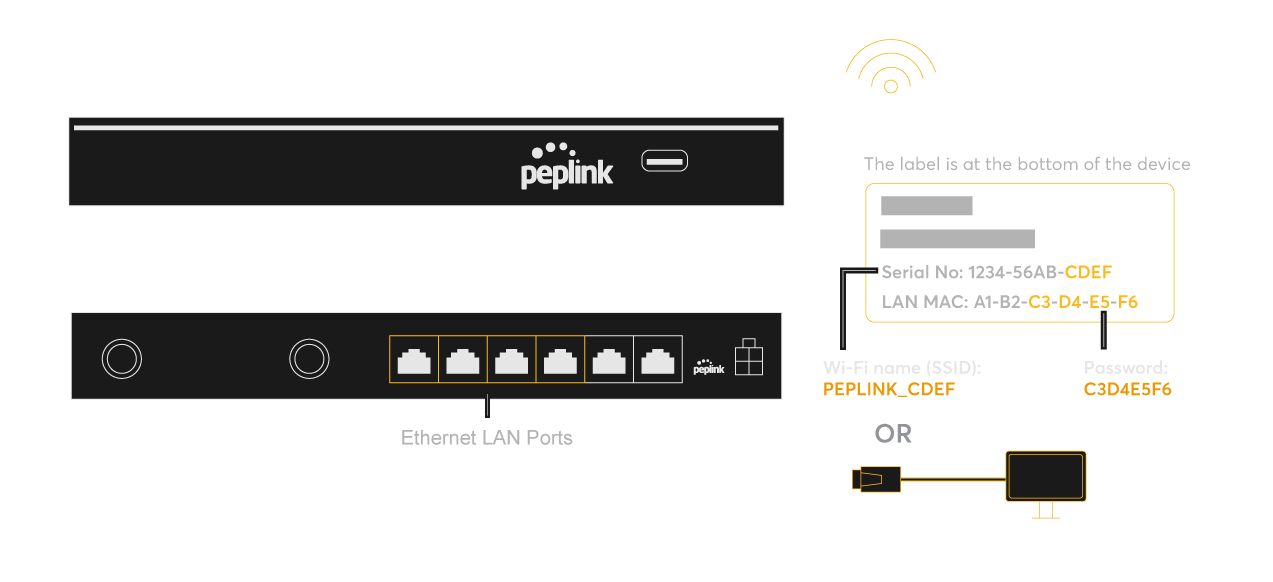
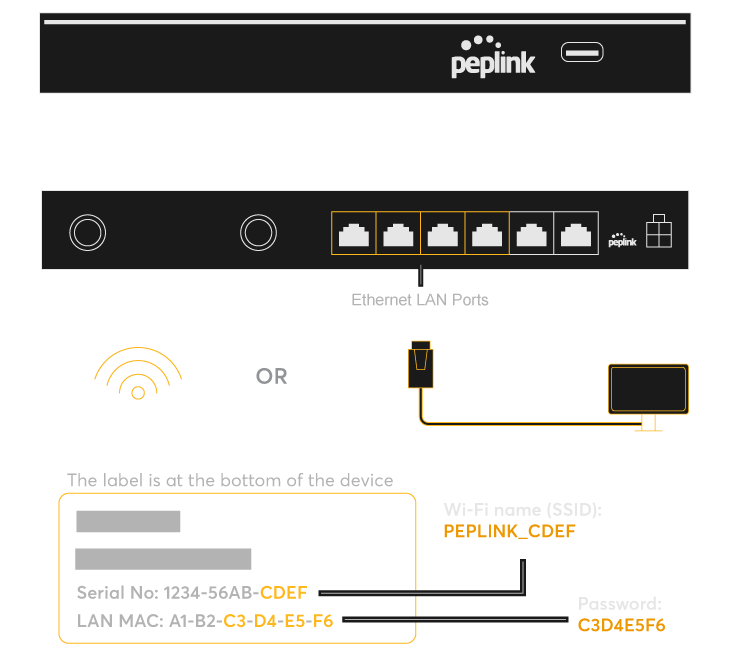
LAN Setup

Connect Your Devices By Ethernet Cable # or Wi-Fi

# Ethernet cable not included

B One Setup Step 03 B One Setup Step 03

4 /4

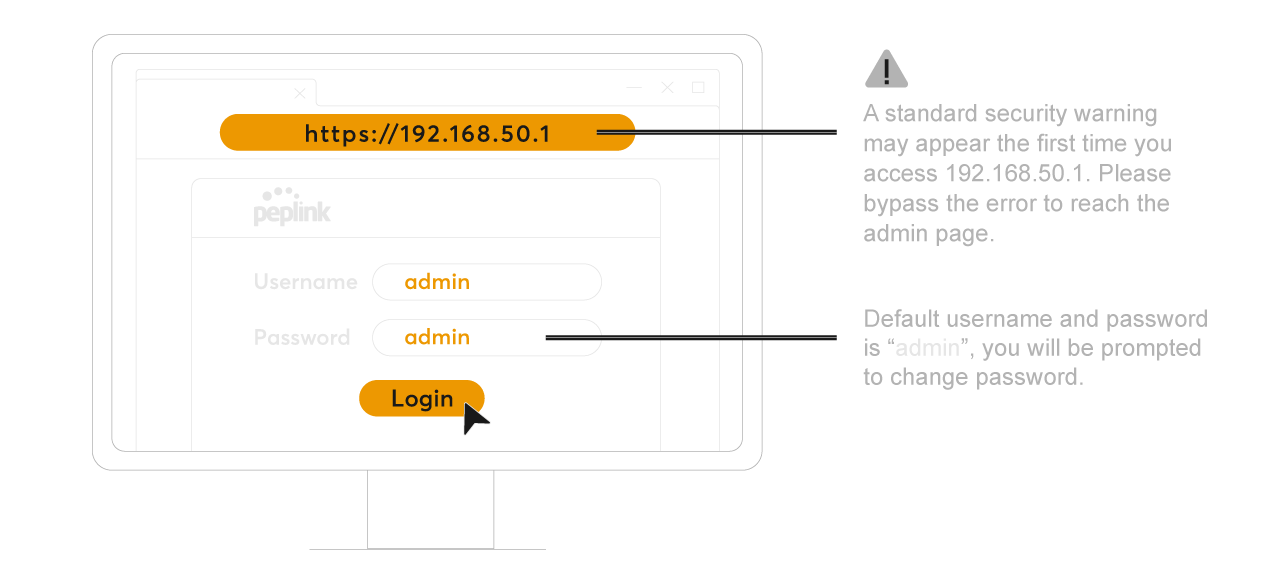
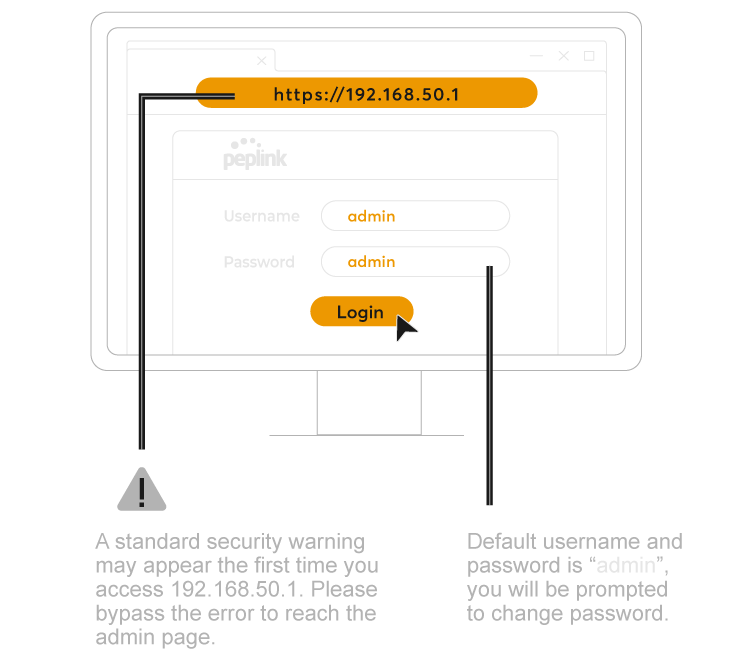
Login to the Admin Page

If you’re accessing the admin page via Wi-Fi, you may be disconnected from the network after changing the Wi-Fi password.
Simply reconnect with the new password and proceed as normal.

B One Setup Step 04 B One Setup Step 04

You’re all set and ready to go!

1 /4

Connect the Power Cord and the Antennas*

* Refer to antenna connector or cable ends
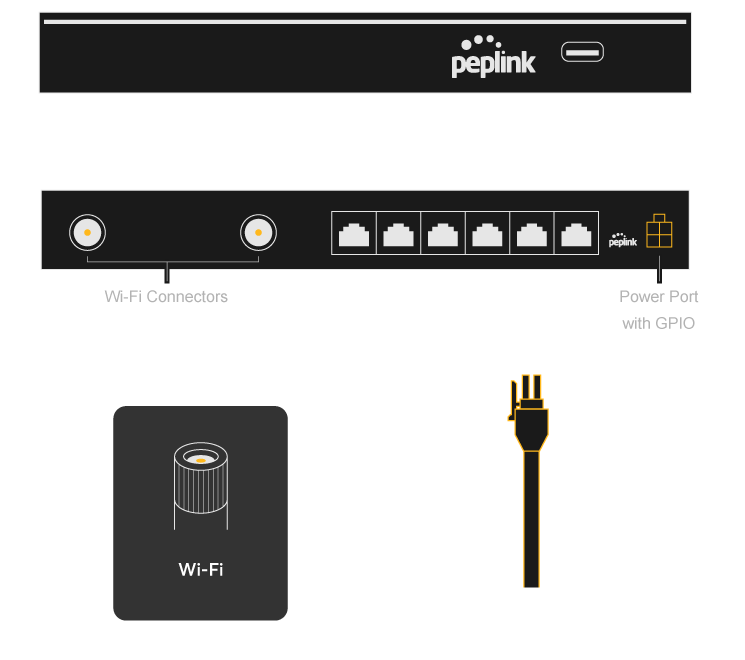
B One Setup Step 01 B One Steup Step 01
B One Manual

1 YEAR WARRANTY INCLUDED

to register: access.peplink.com

USER MANUALS*

peplink.com/manual

DEVICE MANAGEMENT

incontrol2.peplink.com

Authorized Distributors & Resellers

peplink.com/partners

MOBILE APP

peplink.com/mypeplink

PEPLINK COMMUNITY

forum.peplink.com

WARRANTY POLICY

peplink.com/warranty


* Please download the corresponding user manual with certification regulations and requirements for:
Wireless device: EU legislation Directive 2014/53/EU and relevant UK legislation
Non-wireless device: EU legislation Directive 2014/35/EU, 2024/30/EU and relevant UK legislation