Quick Start Guide

Balance 5000 EC

This guide is intended for professional installers and Peplink Certified Partners.
If you are an end user, please contact your service provider for installation assistance.

1    Plug in Power

1

Plug in Power
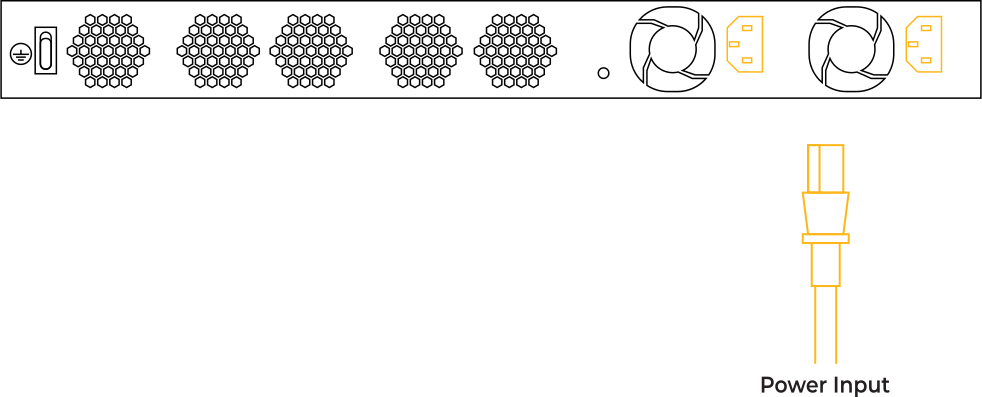
b5000ec_step-01

2

WAN Set Up
BY Ethernet Cable OR Fiber OR USB Modem
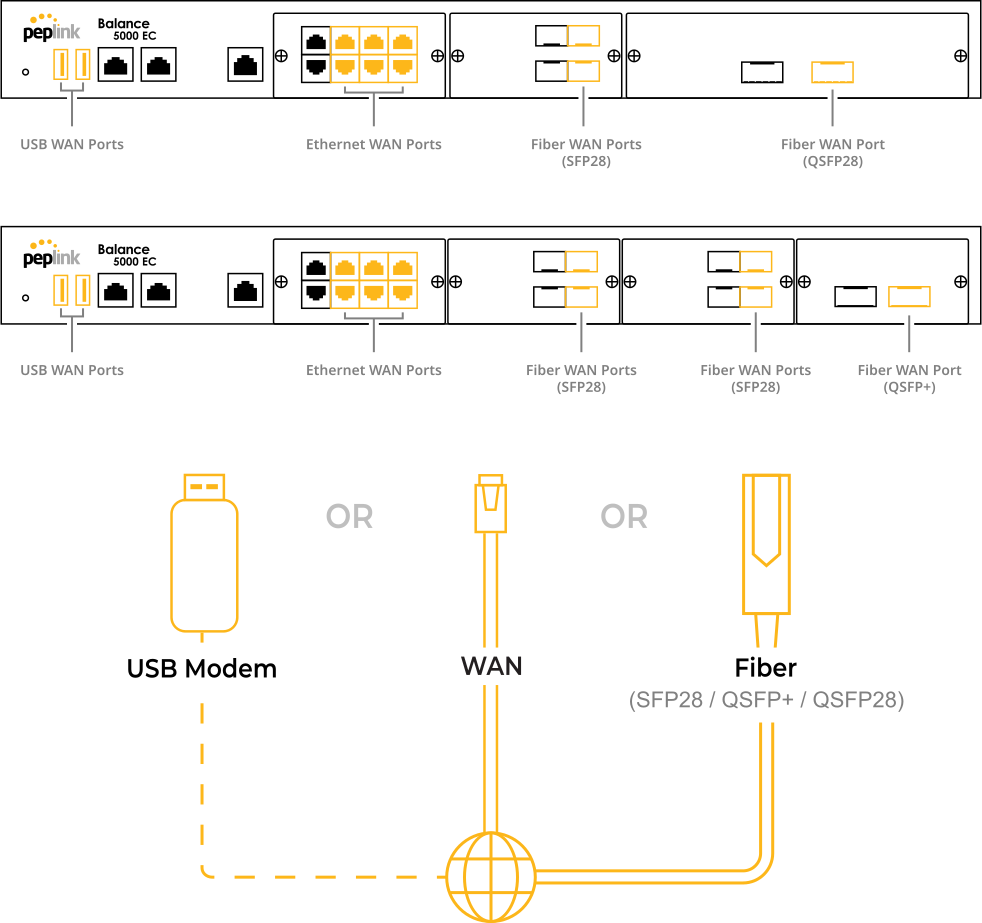
b5000ec_step-02

3

Connect to Computer
BY Ethernet Cable OR Fiber
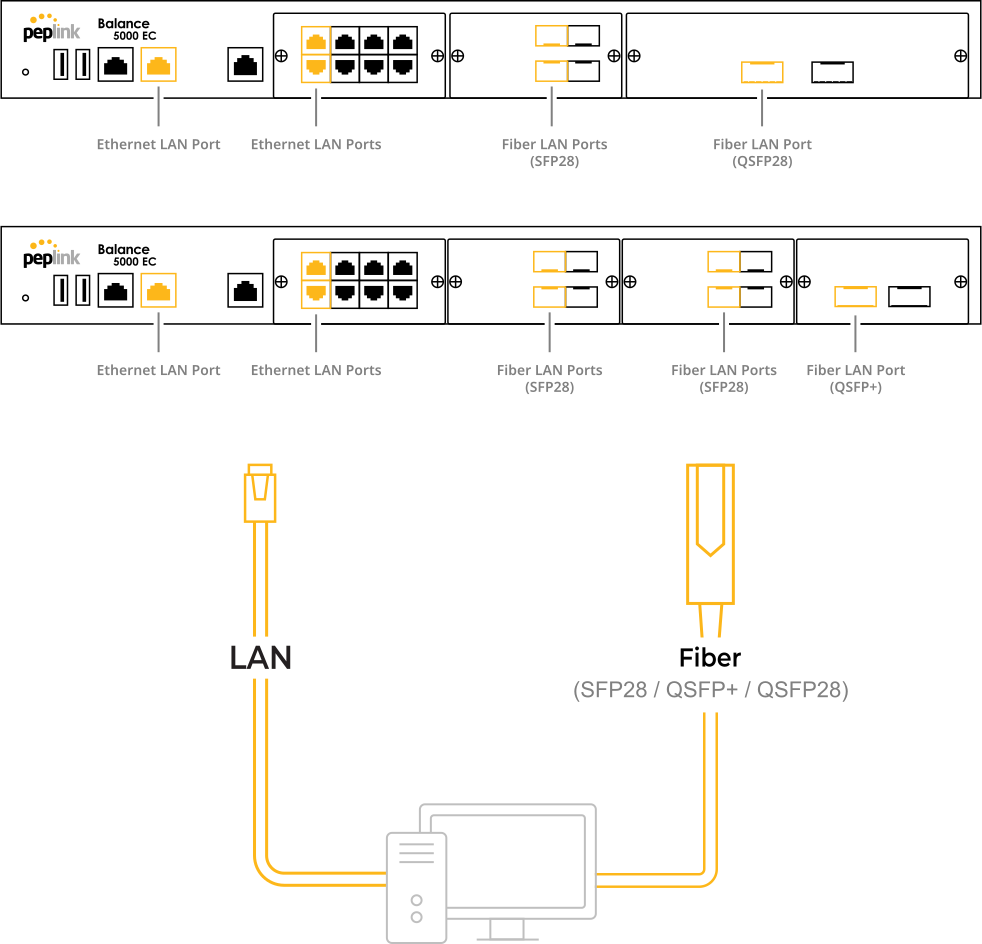
b5000ec_step-03

4    Login to the Admin Page

4

Login to the Admin Page
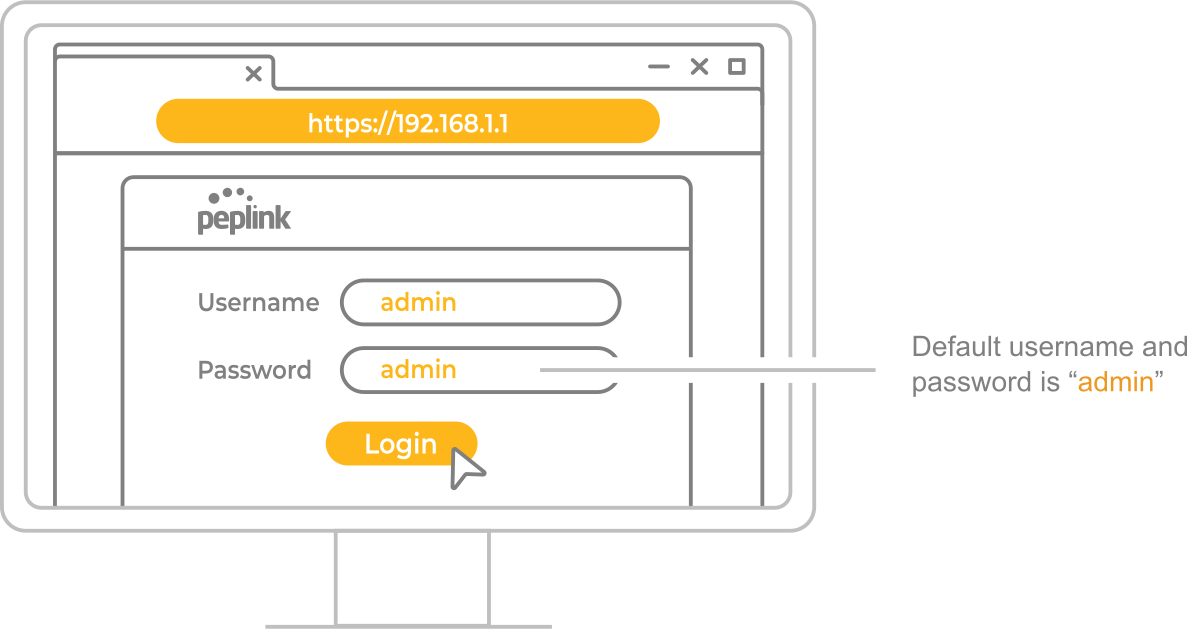
device

1 YEAR WARRANTY INCLUDED

to register: access.peplink.com

USER MANUALS*

peplink.com/manual

DEVICE MANAGEMENT

incontrol2.peplink.com

Authorized Distributors & Resellers

peplink.com/partners

MOBILE APP

peplink.com/mypeplink

PEPLINK COMMUNITY

forum.peplink.com

WARRANTY POLICY

peplink.com/warranty

* Please download the corresponding user manual with certification regulations and requirements for:
Wireless device: EU legislation Directive 2014/53/EU and relevant UK legislation
Non-wireless device: EU legislation Directive 2014/35/EU, 2024/30/EU and relevant UK legislation